The traditional handshake has changed.
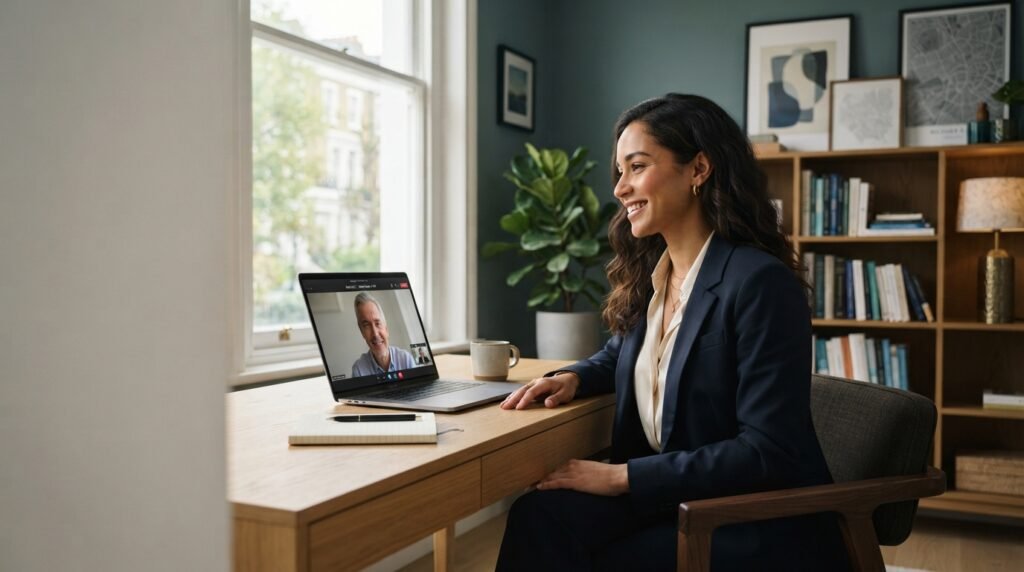
Today, your first interaction with a potential employer may happen through a video call, a virtual meeting platform, or even a short online screening interview.
That means your first impression is no longer created when you walk into an office.
It starts the moment you join the call.
For professionals interviewing remotely, understanding how to communicate effectively through a digital environment can make the entire interview experience smoother and more professional.
1. Treat the Setup as Part of the Interview
Your technology may not be the most important part of an interview, but technical problems can quickly become distracting.
Before the interview, check:
- Internet connection
- Camera
- Microphone
- Headphones
- Laptop battery
- Meeting link
- Required software
- Screen-sharing permissions
Join the meeting a few minutes early when possible.
Being prepared technically allows you to focus on the conversation rather than troubleshooting during it.
2. Pay Attention to Your Environment
Your surroundings contribute to the overall impression you create.
Choose a location that is:
- Quiet
- Well-lit
- Clean
- Free from unnecessary distractions
Your face should be clearly visible, and the camera should ideally be positioned around eye level.
You don’t need an expensive studio setup.
A simple, professional environment is usually enough.
3. Practice Looking at the Camera
One challenge of remote interviews is maintaining natural eye contact.
When you’re speaking, looking directly toward the camera can create a stronger sense of connection.
You don’t need to stare at it continuously.
Instead, naturally alternate between looking at the camera and looking at the screen while listening.
This small adjustment can make virtual communication feel more natural.
4. Your Body Language Still Matters
A video call doesn’t eliminate body language.
Your posture, facial expressions, gestures, and attentiveness are still visible.
Sit comfortably but professionally.
Avoid constantly looking away, checking your phone, or moving unnecessarily.
A calm posture and attentive expression can help communicate confidence and engagement.
5. Prepare for Common Interview Questions
Remote interviews are still interviews.
Prepare for questions such as:
- Tell me about yourself.
- Why are you interested in this role?
- What are your strongest skills?
- Tell me about a difficult problem you solved.
- What achievement are you most proud of?
- Why are you considering a move?
- What are your career goals?
Don’t memorize scripted answers word-for-word.
Instead, prepare key points and examples so that your responses remain natural.
6. Use Examples Instead of General Statements
A strong answer usually includes evidence.
Instead of saying:
“I’m a strong leader.”
Explain a situation where you demonstrated leadership.
Describe:
- The situation
- Your responsibility
- What you did
- The outcome
This gives the interviewer something concrete to evaluate.
Specific examples are generally more informative than broad claims.
7. Communicate Clearly
Remote communication can sometimes make conversations feel less natural.
Audio delays, background noise, and connection problems can interrupt the flow.
Speak clearly and avoid rushing.
If you didn’t hear a question properly, it’s completely reasonable to ask the interviewer to repeat it.
Taking a brief moment to think before answering is also better than rushing into an unclear response.
8. Keep Your Professional Materials Ready
For some remote interviews, you may be asked to share your screen or discuss previous work.
Keep relevant materials easily accessible:
- Updated resume
- Portfolio
- Project examples
- Certifications
- Relevant documents
- Questions for the interviewer
Organize them before the interview rather than searching for files while you’re speaking.
9. Don’t Forget the Human Side
Technology can make an interview feel formal or mechanical.
Try to maintain a natural conversation.
Listen carefully.
Respond directly to the question.
Show genuine interest in the organization and role.
When appropriate, ask thoughtful questions about:
- The team
- Responsibilities
- Expectations
- Company culture
- Success measures
- The next stage of the process
An interview is not only an opportunity for an employer to learn about you. It is also an opportunity for you to understand the role.
10. Have a Backup Plan
Technology sometimes fails despite good preparation.
Know what you will do if:
- Your internet connection drops
- Your microphone stops working
- The meeting platform crashes
- Your device runs out of battery
Keep your phone available as a potential backup communication method if appropriate.
If something goes wrong, remain calm and communicate clearly with the interviewer.
A technical problem doesn’t have to become a professional problem.
The Digital Handshake
A successful remote interview isn’t about creating a perfect video setup.
It’s about combining preparation, clear communication, professionalism, and genuine engagement.
Your technology creates the environment.
Your preparation creates confidence.
And your communication creates the connection.
The digital handshake may look different from the traditional one, but the principle remains the same: make a professional first impression, communicate your value clearly, and show the person on the other side of the screen why the conversation is worth continuing.
Preparing for Your Next Opportunity?
Ahsan Careers connects professionals with career opportunities and helps organizations identify relevant talent.
If you’re ready to take the next step in your career, submit your application and share your experience, skills, and career goals with our recruitment team.
Submit Your Application